
Google Sheets and Excel · version 1.0
Sinking Funds Tracker
A pot for every big bill that comes back.
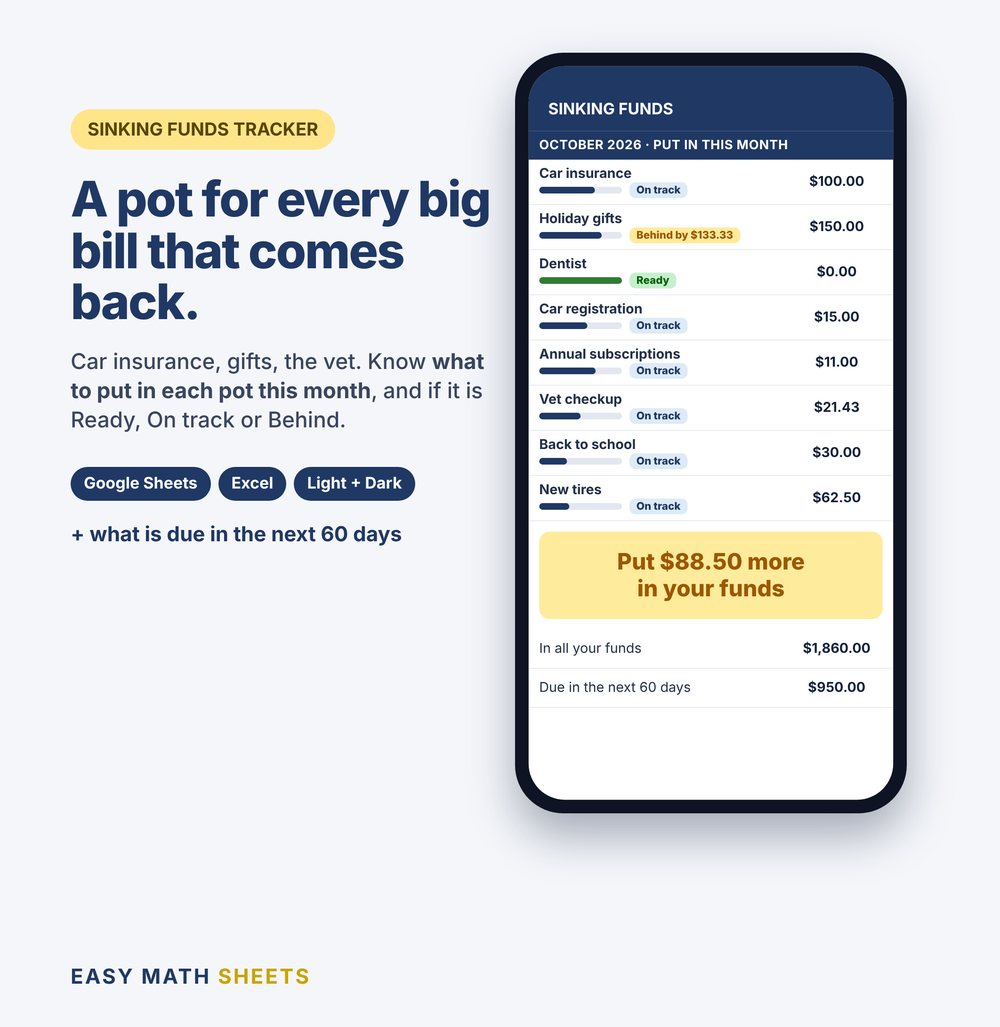
Car insurance, gifts, the car tag, the vet. Type what each one costs and when it is due. The sheet tells you what to put in each pot this month, and if each pot is Ready, On track or Behind.
Pay on Etsy. Download right after you pay.
- Works on your phone with the free Google Sheets app
- Also Microsoft Excel 2010 or newer
- Something not working? Tell us and we fix it
How it works
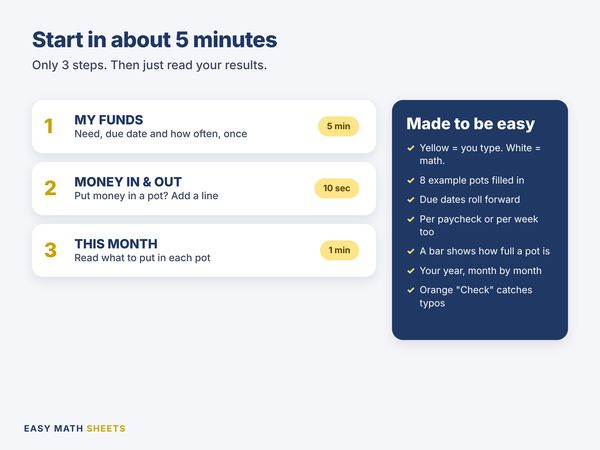
- 1
MY FUNDS
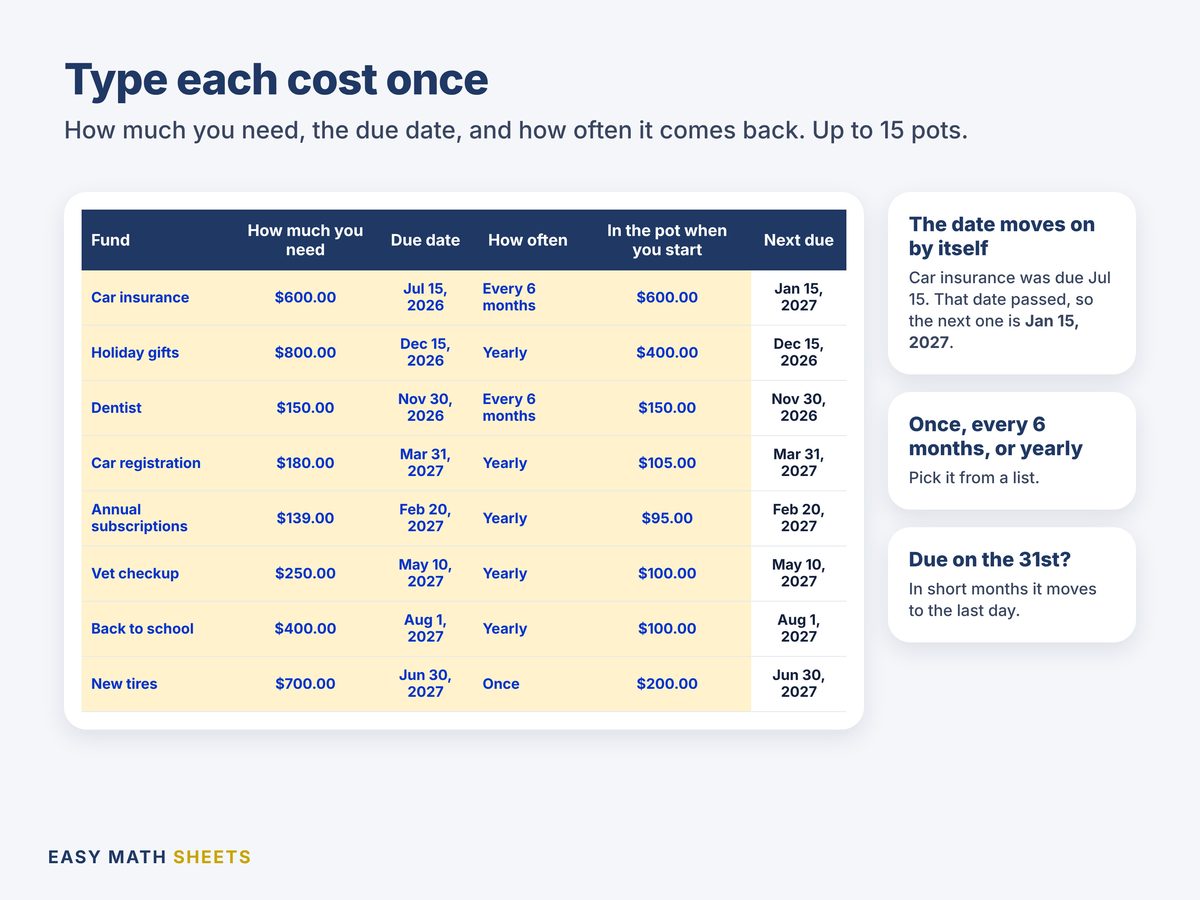
One line for each cost that comes back: the name, how much you need, the due date and how often. Room for 15.
5 minutes, one time
- 2
MONEY IN & OUT
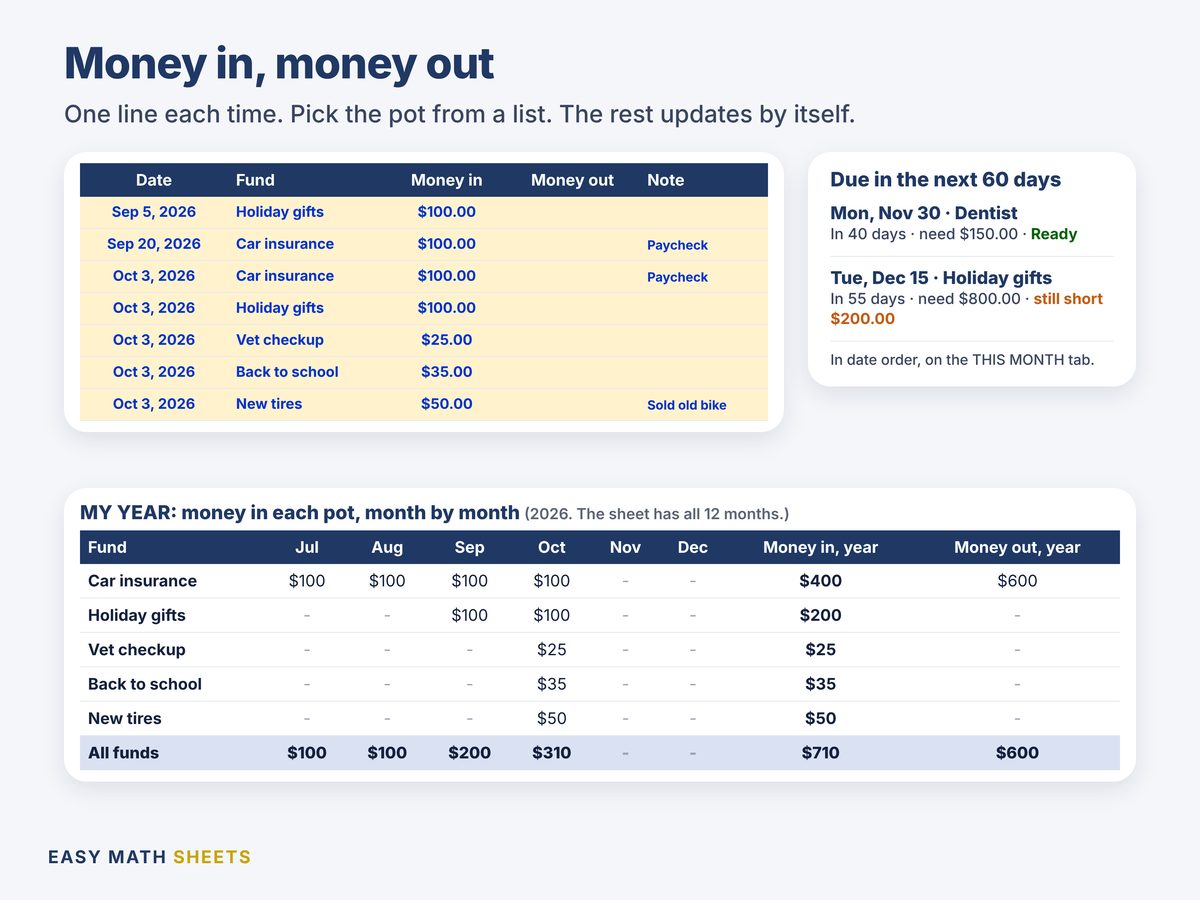
Put money in a pot, or paid the bill from it? Add a line and pick the pot from the list.
10 seconds
- 3
THIS MONTH
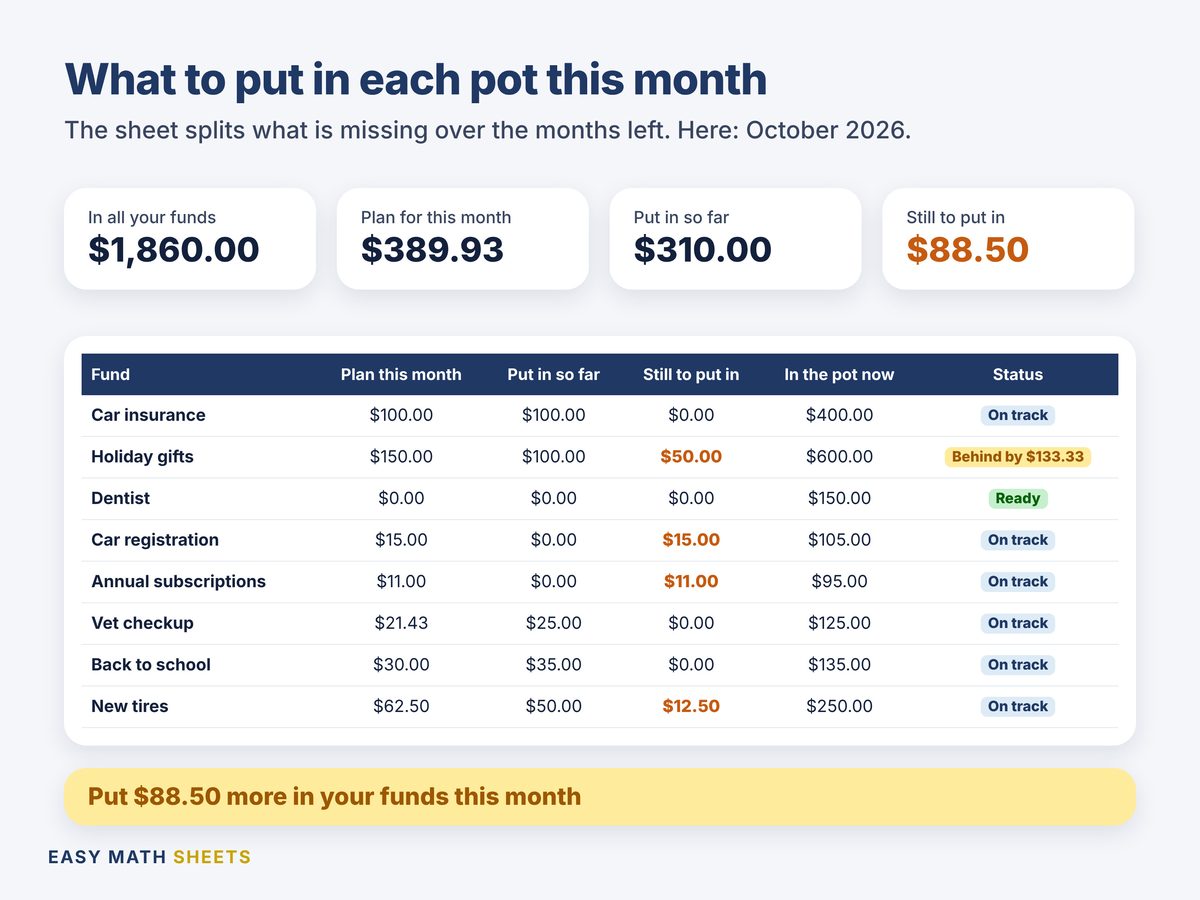
Nothing to type. Read what to put in each pot this month.
1 minute
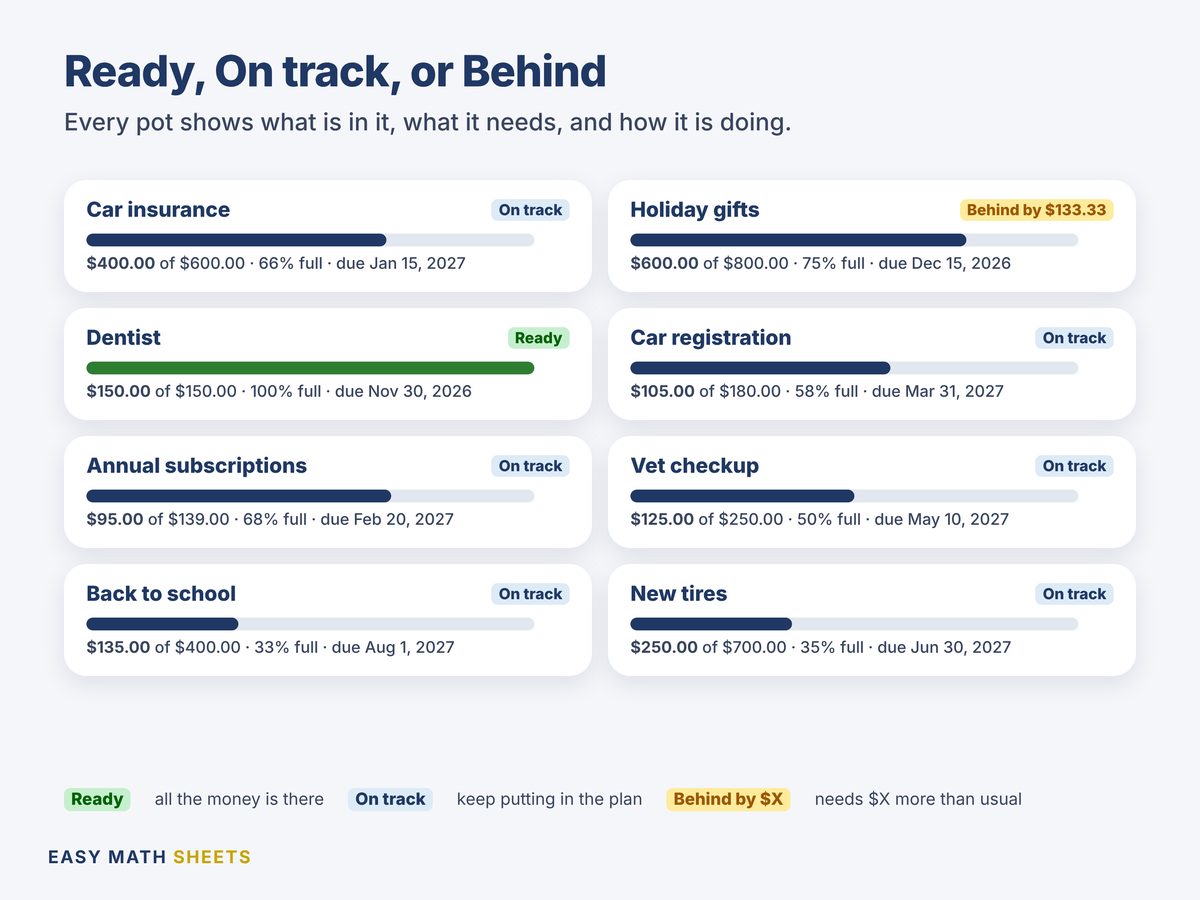
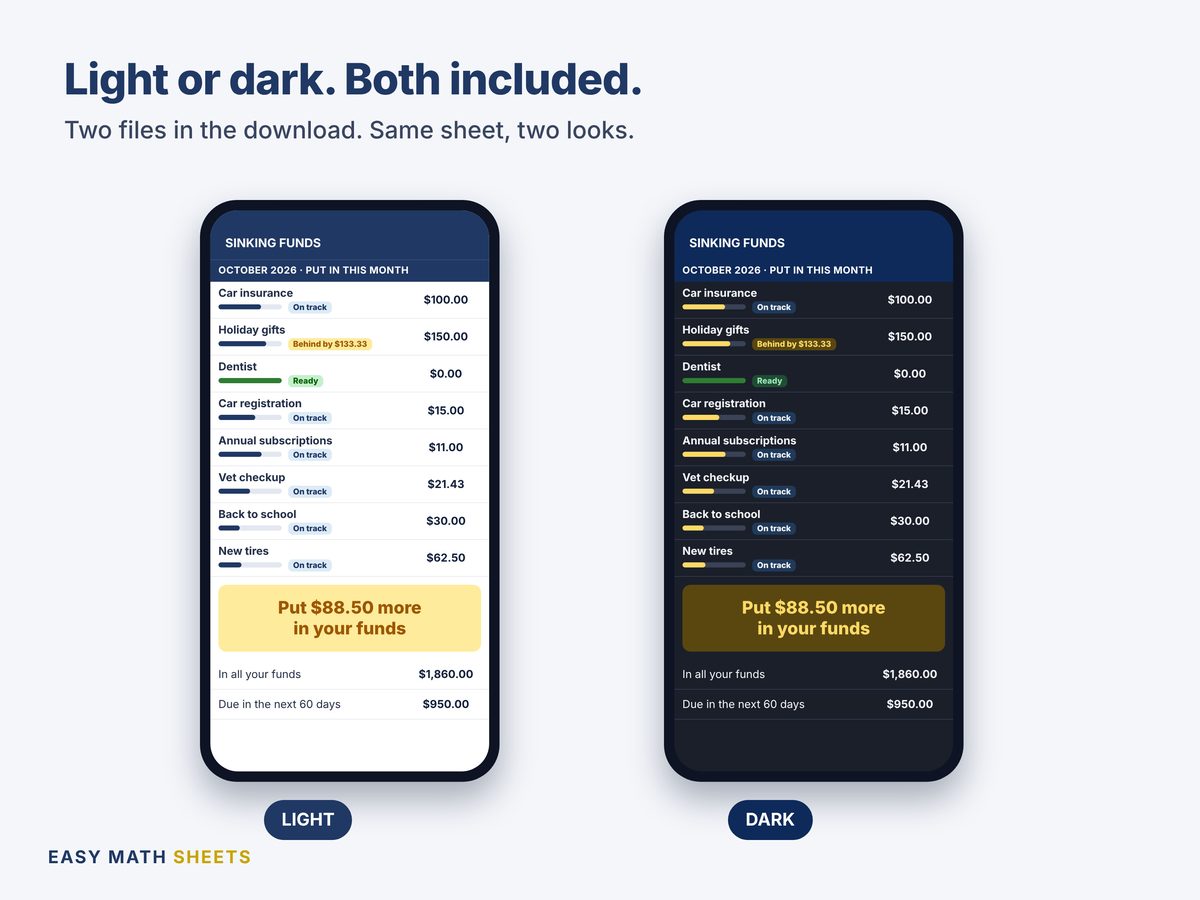
Then look at MY FUNDS. Each pot has a bar that shows how full it is, and says Ready, On track or Behind.
See it
What's inside: 5 tabs
- START HERE
- The 3 steps, the colors and an "Is everything OK?" check.
- MY FUNDS
- Up to 15 pots. For each one: the next due date, months left, money in and out, what is in the pot now, what it still needs, what to put in this month, a bar and the status.
- MONEY IN & OUT
- 300 lines. Date, pot, money in, money out and a note.
- THIS MONTH
- What is in all your pots, the plan for this month, what you put in so far and what is still to put in. Below: what is due in the next 60 days, by date, and what is still short.
- MY YEAR
- What you put in each pot, month by month, for the whole year, and what you took out.
Made to be easy
- You type only in the yellow boxes. Eight example pots show how it works.
- "Put in this month" splits what a pot still needs over the months left to its due date.
- Each pot says Ready, On track or Behind by $X, in green, blue or amber.
- Paid every 2 weeks, or you save each week? Pick it, and the sheet shows what to put in each time.
- Costs that come back every 6 months or every year move to the next due date by themselves.
- Due on the 31st? In short months it moves to the last day.
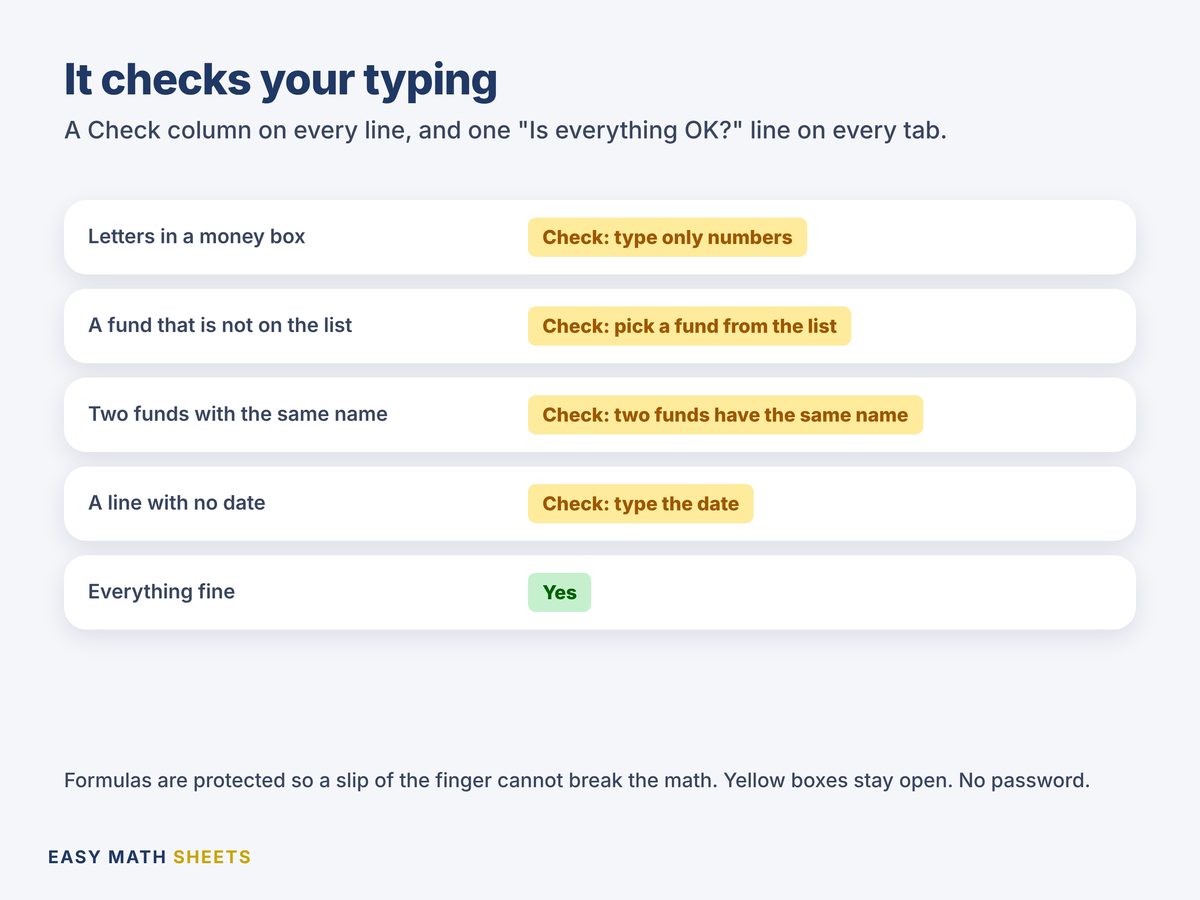
- Orange "Check" words catch typos, like letters in a money box or a pot that is not on the list.
What it counts
- Up to 15 pots: once, every 6 months or once a year
- What to put in each pot this month, and the total
- What is in each pot now: money in minus money out
- Ready, On track or Behind for each pot
- What is due in the next 60 days, and what is still short
- Money in for each pot, month by month
What you get
- Sinking_Funds_Tracker.xlsxThe light version, with 8 example pots
- Sinking_Funds_Tracker_Dark.xlsxThe same sheet with a dark look. Pick the one you like
- Quick Start Guide (PDF)Short plain-English steps, and buttons that make your own copy in Google Sheets
Works on
- Google Sheets (free), on your phone or computer. The guide has buttons to make your own copy.
- Microsoft Excel 2010 or newer.
- No macros. No add-ons. No account with us.
What it does not do
- It does not move money and has no bank link. You type your own numbers.
- Not financial advice. It does the math on your plan.
Ready for the big bills that come back?
$1.98. Pay once and download right away. Open the guide, make your copy, type your big bills. About 5 minutes.
Questions people ask
How do I get the files?
This is a digital download. Nothing is shipped. After you pay on Etsy, download the files from your Etsy account (Purchases). Open the PDF guide first.
Does it work on my phone?
Yes. Use the free Google Sheets app. The guide has buttons to make your own copy, light or dark. It also works in Microsoft Excel 2010 or newer.
What is a sinking fund?
Money you put aside a little at a time for a cost you know is coming, like car insurance every 6 months or holiday gifts. When the bill comes, the money is already there.
How does it know what to put in each pot?
It takes what the pot still needs and splits it over the months left to the due date. Put in less one month, and the next months ask a bit more.
What does "Behind" mean?
Each pot has a usual amount a month: the cost split over the months until it comes back. Behind by $133.33 means that at the usual amount, the pot would be $133.33 short on the due date. What to put in this month already counts that.
I paid the bill from a pot. What do I type?
Add a line in MONEY IN & OUT, pick the pot and type the amount under Money out. If the cost comes back, the pot starts again for the next due date.
I get paid every 2 weeks. Will it work?
Yes. In MY FUNDS, pick Every 2 weeks, or Every week. THIS MONTH then shows about how much to put in from each paycheck.
Something is not working. What do I do?
Send us a message on Etsy. We answer and fix it. If we can't, we review your case for a refund.
Good to know
- The pots inside are examples. Type yours over them.
- It uses today's date, so it is up to date each time you open it.
- This is a planning tool. It is not tax, legal or financial advice.
- Single-user license: for you and your home. Please do not resell or share the files.
- We design every spreadsheet. We use AI tools to help write and test some formulas and text. Every formula is tested before sale.